In a previous post, I explored how MySQL implements partial updates and multi-versioning for BLOB columns internally.
To better see what actually happens inside the data files, I’ve added a new feature to ibdNinja, an interactive BLOB inspection mode:
--inspect-blob
This feature is designed as a extension of ibdNinja’s existing inspection workflow, allowing you to drill down from high-level structures to the actual BLOB data stored on disk.
How it works:
Step 1
Use ibdNinja’s existing features to parse, extract, and print information from a MySQL .ibd file at the table, index, page, and record levels.
Once you’ve located a record you want to dive deeper into, note its page number and record number.
Step 2
Pass those identifiers to --inspect-blob:
ibdNinja -f <table.ibd> --inspect-blob <page_no>,<record_no>
to start an interactive inspection of the BLOB field in that record.
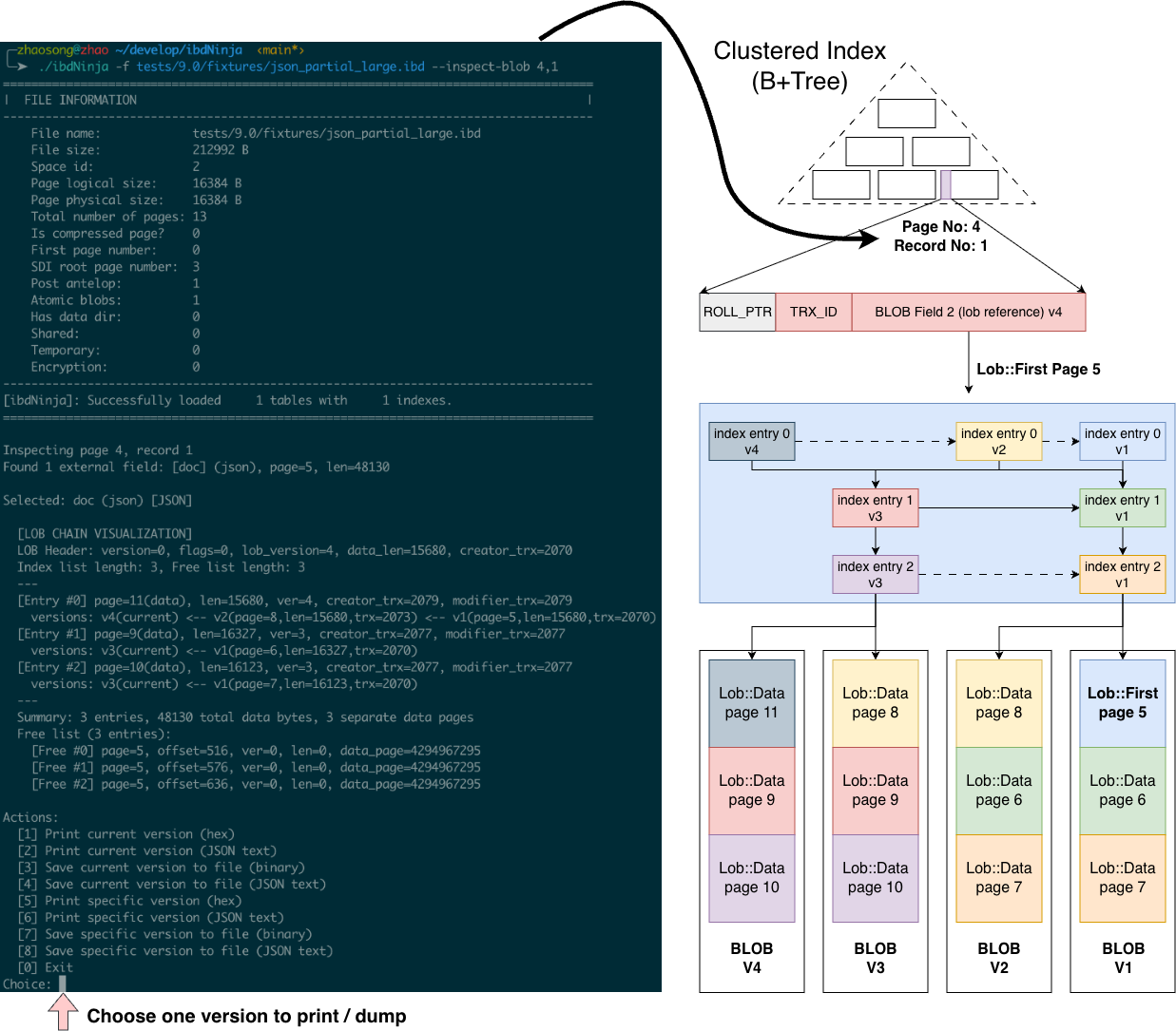
As shown above, ibdNinja will:
- Traverse the external BLOB page chain
- Reconstruct the version chain introduced by partial updates
- Visualize the complete on-disk layout of the BLOB across all versions
From there, you can choose any version and:
- Hex-print or dump the full value for binary BLOBs (images, raw binary data, etc.)
- Decode JSON BLOBs (MySQL JSON is still a BLOB internally) into readable text, or inspect the raw MySQL-encoded JSON in hex
If some historical versions have already been purged, ibdNinja will detect that and clearly report it.
If you’re into MySQL data file internals, or knee-deep in development, debugging, or production issues, give ibdNinja a try, dig under the hood — and consider bug reports part of the feature set.